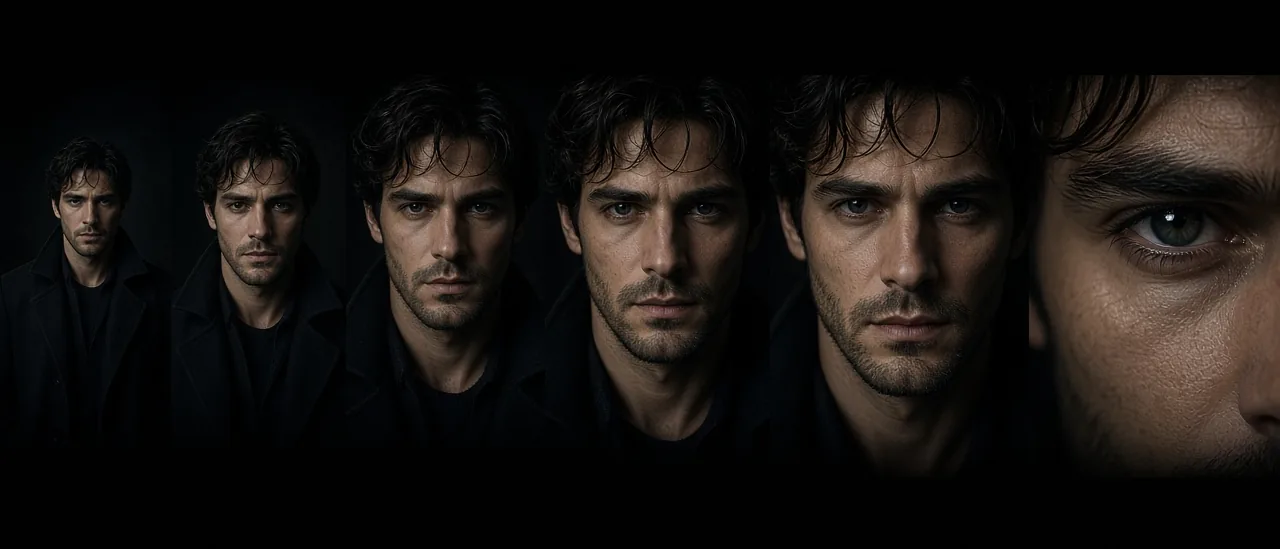
#zoom#ai upscale#4k#image crop#create studio#close-up
Zoom Tool — Progressive Crops and 4K Upscale

Mihaly Varga
Founder & AI Creative Director
23 September 2026
6 min de lectura
Zoom is the punch-in. Upload one image and you get nine progressive crops, from the full frame toward the detail. Select the crop that is the shot, then upscale it to 4K.
Crop before you upscale
Upscaling the whole frame does not create a close-up. The ladder does. Pick the step where the subject fills the frame the way the edit needs, and only then send that one to 4K. Upscaling every step wastes the pass.
- 1Start from a still that is already sharp enough to crop.
- 2Generate the nine zoom levels.
- 3Stop at the tightest crop that still looks like the original, not a new face.
- 4Upscale that favorite to 4K and use it as a Film Studio start frame if the next step is motion.
A new camera angle, not a closer one, is Angles or Cinematic Shots. Zoom stays on the same lens and walks in.
Open Zoom when the wide is right and the insert is missing.
Comentarios
Cargando…