Les meilleures invites Nano Banana 2 pour des portraits IA photoréalistes
Mihaly Varga
Founder & AI Creative Director
Mastering Photorealism with Nano Banana 2 Prompts
Generating true-to-life human portraits with AI used to require heavy post-processing or complex negative prompts. With Nano Banana 2, achieving lifelike skin textures, authentic camera blur, and studio-grade lighting is all about using a structured prompting strategy. Whether you need hyper-realistic cinematic stills, candid street photography, or pristine studio headshots, these ready-to-use Nano Banana 2 prompts will help you generate professional visual assets instantly.
Nano Banana 2 Prompt Blueprint (Quick Cheat Sheet)
To consistently produce hyper-realistic portraits and avoid the synthetic, over-smoothed "waxy" look, structure your Nano Banana 2 prompts using this 4-part optical formula:
“[Subject & Expression] + [Camera & Lens Specs] + [Lighting Conditions] + [Film Stock & Skin Micro-Texture]”
- Subject Details: Age, posture, candid action, and natural, unposed facial expressions.
- Camera Setup: Specific focal lengths and apertures like 85mm f/1.4 or 24mm f/11.
- Lighting: Physics-based terms like volumetric window light, rim light, or natural daylight.
- Texture Details: Organic specifications like Kodak Portra 400 grain, visible skin pores, and fine facial micro-textures.
Top Photorealistic Nano Banana 2 Prompts (Copy & Paste)
Copy and paste these high-performing prompts directly into your generator:
“1. Analog Café Cinematic Portrait:”
“A cinematic portrait of a young man absorbed in a book inside an old European café. Warm golden afternoon light pouring through arched windows. Shot on Kodak Portra 400, 85mm lens f/1.8. Authentic skin texture, fine pores, natural hair stranding, warm color palette, soft bokeh background.”
“2. High-Contrast Studio Editorial:”
“Hyper-realistic black and white portrait divided precisely between light and shadow. Single hard key light from the left revealing detailed skin micro-textures and facial hair. Shot on Hasselblad X2D, 135mm lens at f/5.6. Zero background artifacts, pure monochrome contrast.”
“3. Rain-Streaked Cinematic Close-Up:”
“A dramatic close-up portrait of a woman looking through a rain-covered glass window at night. Sharp focus on water droplets with subtle backlight refractions. Natural film grain, shallow depth of field, 8K resolution, realistic wet skin highlights.”
“4. Vintage 35mm Street Candid:”
“Candid street fashion photograph on 35mm film stock. A person walking across a sun-bleached European cobblestone plaza. Shot on 85mm telephoto lens, soft background architecture, slight green shadow tone, unposed natural expression.”
Master Studio Portrait & Restoration Prompt (Requires Reference Image)
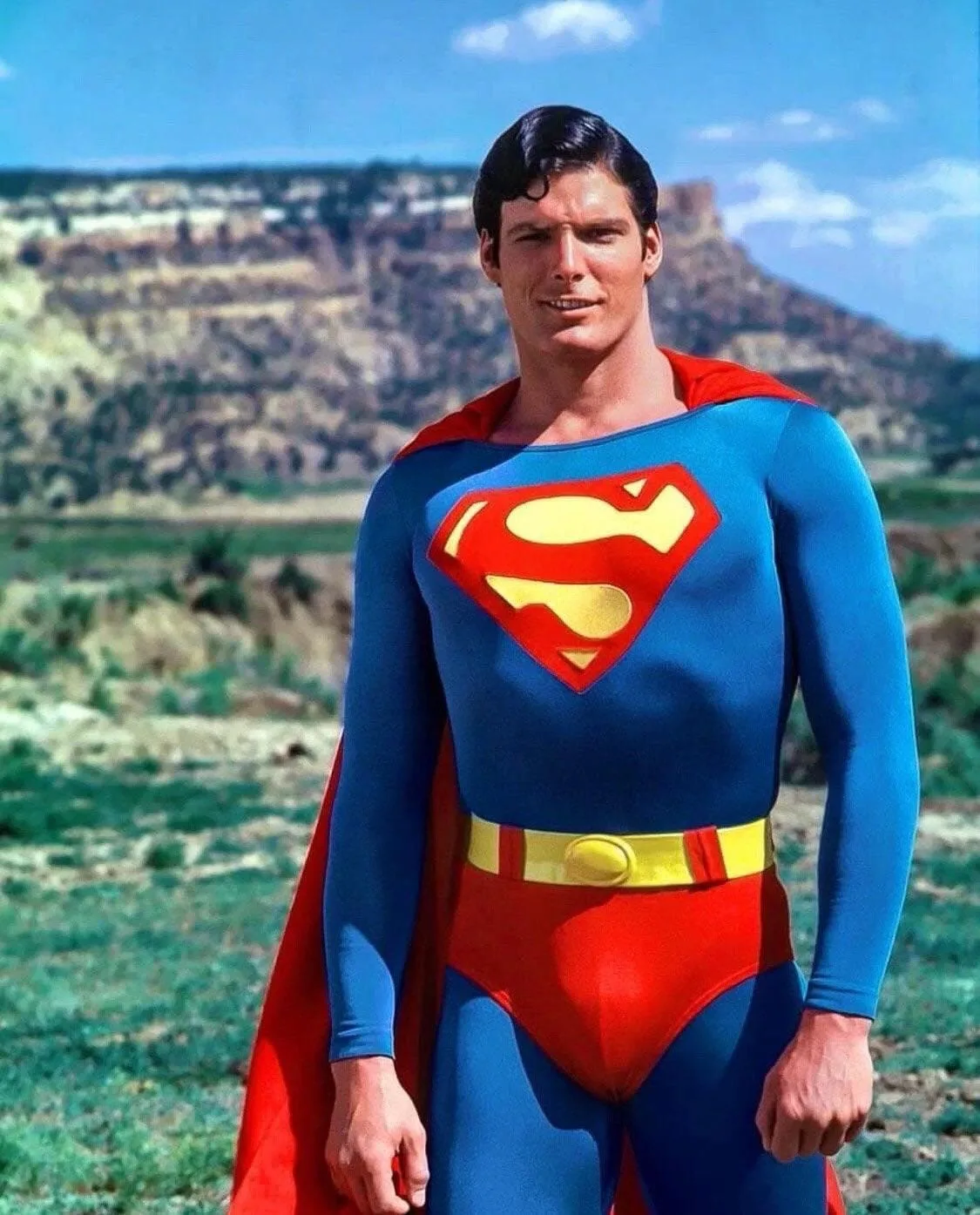
Original Reference Photo (Vintage Superman)
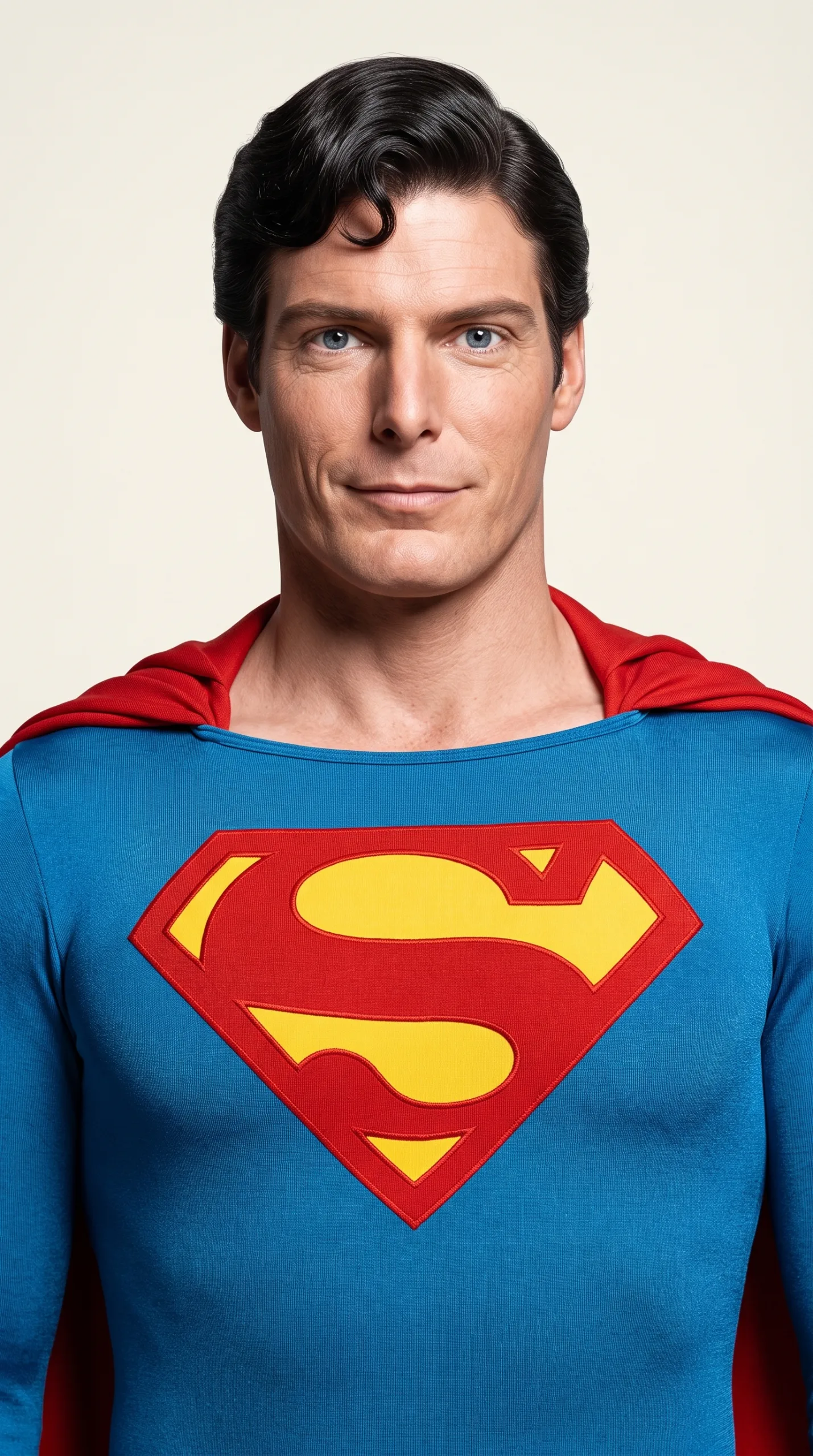
AI Restored Studio Portrait (Nano Banana 2)
If you need a 100% precise, centered headshot for a professional portfolio, resume, or client site, generic text-only prompts won't cut it. Use our engineered Master Studio Portrait Prompt designed specifically to work with a reference image. This prompt takes your existing photo, restores all details, and places your subject on a luxurious Royal Alabaster (#F2F0E6) studio backdrop while guaranteeing absolute identity preservation. How to use: Upload your target photo as a reference image in Nano Banana 2 (or Midjourney / DALL-E) and paste the exact prompt template below into the text box:
“Create a professional portrait photograph with precise composition and complete restoration. The subject from the reference image must be perfectly centered on a premium Royal Alabaster studio background, looking directly at the camera. Composition Requirements: Center the face exactly on the vertical midline of the frame. The head (chin to top of hair) should fill 65% of the image height. Frame from mid-chest/sternum (bottom edge) to 15% above the top of the hair. Never show waist, hips, or knees — zoom in if needed to crop at sternum level. Ensure proper headroom with balanced spacing. Restoration & Quality: Completely restore this image to flawless modern quality. Remove all damage including scratches, tears, dust, stains, creases, water marks, fading, and age-related degradation. If the original image is black and white or sepia, add natural and realistic colors appropriate for the era and subject. Upscale to sharp 4K resolution with reconstructed fine details. The final image must look pristine, professional, and photorealistic. Photography Style — Modern iPhone 15 Pro: Simulate a candid photo taken today with natural window lighting. Use a 24mm equivalent focal length at f/11 aperture so the entire frame remains sharp. No background blur or bokeh. The result should look clean, realistic, unfiltered, and like a high-quality smartphone portrait captured moments ago. Critical Identity Preservation: Keep the subject’s face, age, expression, gaze direction, and all facial features absolutely identical to the source image. Do not alter bone structure, facial proportions, age, or appearance. Do not de-age, beautify, reshape, or smooth wrinkles. Preserve authentic skin texture and natural details. Enhance eye clarity and facial details realistically without making the skin artificial, plastic, or over-processed. This is restoration, not transformation. Background Replacement: Replace the entire background with a premium Royal Alabaster studio backdrop. Use a soft, elegant alabaster color: #F2F0E6. Create a clean, uniform, luxurious background similar to a high-end portrait studio. Maintain the original lighting on the subject. Preserve realistic shadows and natural light interaction around the edges of the subject. Only the background should change; do not modify the person. Avoid: Off-center positioning, small head size, visible waist, hips, or legs, changed facial features, artificial skin, over-smoothing, blur, grain, scratches or restoration artifacts, text overlays, filters, or any alteration of the person’s identity. Final Result: A flawless, modern, professional portrait photograph with the original person perfectly preserved, restored in ultra-realistic 4K quality, photographed on a luxurious Royal Alabaster (#F2F0E6) studio background.”
Why This Master Prompt Works Better Than Standard Prompts
- Precision Framing: Forces the AI to keep the face on the vertical midline with exact 65% vertical head ratio, eliminating awkward crops.
- No Artificial Smoothing: Explicit negative instructions prevent Nano Banana 2 from turning skin into plastic or removing natural facial character.
- Studio Grade Lighting: The #F2F0E6 Royal Alabaster color code creates a warm, high-end studio contrast that makes subjects pop naturally.
CTA Block & Final Button (Finalul Articolului)
Want to master advanced AI image generation, prompt engineering, and visual automation? Learn step-by-step how to write high-converting prompts, fix AI skin textures, and build professional visual assets in our dedicated masterclasses.
Commentaires
Chargement…