Create Character Sheets for AI Film (2026)

Mihaly Varga
Founder & AI Creative Director
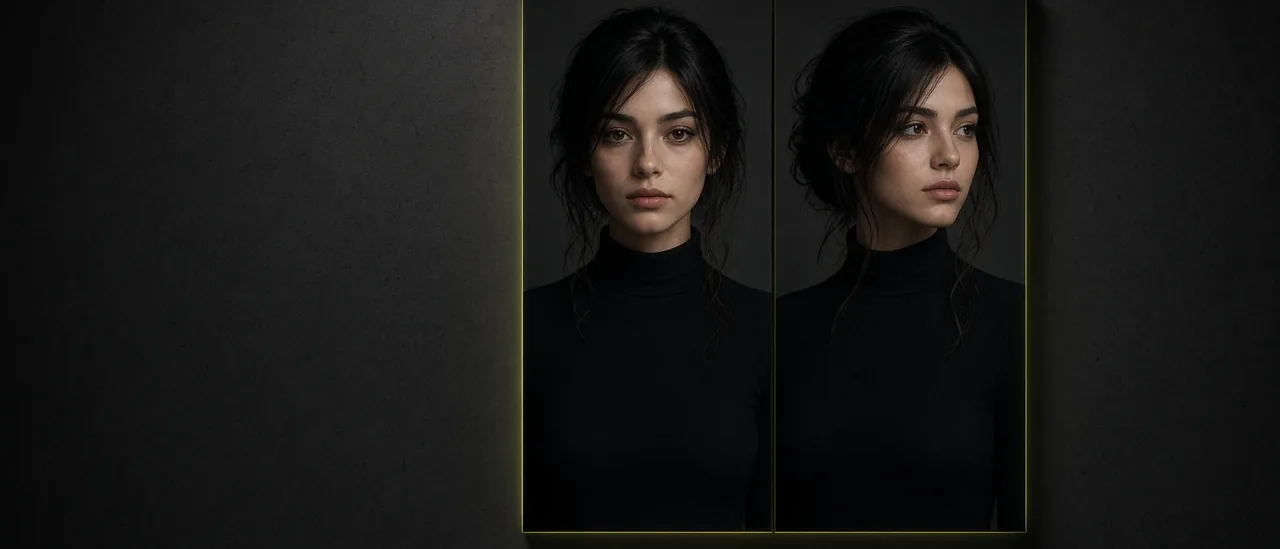
A one-off portrait drifts the moment you ask for a second shot. Create Character is the sheet: genre, identity, and outfit, then a two-panel look you can save as an @tag and drop into Image Studio or Film Studio.
What the sheet is for
The two panels are the same person from two views, not two different people. That sheet is the reference you reuse. Influencer Studio is a different tool: it builds a social character you keep editing. Create Character is the cast member for a film.
- Pick genre first so wardrobe and light match the story.
- Lock identity before you change the outfit.
- Generate the two-panel sheet, then save the @tag.
- Use that tag as the start still in Film Studio instead of describing the face again.
Where it goes next
A location belongs in Location. A product in their hand belongs in Props. The character sheet stays the face. If the skin looks plastic after the sheet, run the portrait through Skin Enhancer before you animate it.
Open Create Character, build the sheet once, and keep the @tag on every later shot of that person.
Hozzászólások
Betöltés…