Best Nano Banana 2 Prompts for Photorealistic AI Portraits

Mihaly Varga
Founder & AI Creative Director
Photorealistic AI portraits fail for boring reasons. Not because the model is “not ready,” but because the prompt describes a vibe instead of a photograph. Nano Banana 2 can deliver convincing faces when you direct it like a portrait photographer: subject, light, lens, skin, and what must not happen.
At Boldly with AI, we use Nano Banana 2 for look development, cast sheets, campaign stills, and identity locks before motion work. This guide gives you prompt formulas, lighting recipes, lens language, skin-texture controls, common failure modes, and copy-paste examples you can run today.
“If your portrait prompt could also describe a painting, a stock photo, and a perfume ad at once, it is not a prompt — it is a mood board with no camera.”
— Mihaly Varga, Boldly with AI
What “Photorealistic” Actually Means in Prompts
Photorealism is not the word “photorealistic.” That single adjective is weak. Realism comes from photographic constraints: focal length, aperture feel, catchlights, subsurface skin response, fabric micro-detail, and believable imperfections. When those are present, the model has fewer paths to plastic skin and beauty-filter faces.
Signals that read as a real camera
- Specific lens and framing (85mm portrait, medium close-up, eye-level)
- Named lighting setup (Rembrandt, window softbox, overcast daylight)
- Skin micro-detail without calling it “perfect” or “flawless”
- Environment contact: rim light, bounce color, soft shadow direction
- Wardrobe and hair physics that match the light, not a separate fantasy layer
Signals that break realism
- “Ultra detailed, 8k, masterpiece, trending on ArtStation” spam
- Competing styles in one line (cinematic + anime + studio beauty + HDR)
- Over-sharpened skin language (“pores everywhere,” “hyperreal skin”) that forces texture noise
- Beauty-filter adjectives: flawless, perfect face, airbrushed, porcelain
- Too many accessories fighting for attention in a tight headshot
Treat Nano Banana 2 like a camera operator with infinite patience. Clear direction beats adjective piles. If you want a deep library of ready prompts, browse our curated set at /nano-banana-prompts.
The Core Nano Banana 2 Portrait Formula
Use the same structure every time, then swap modules. Consistency in prompt architecture makes debugging faster: when a face drifts or skin goes waxy, you know which clause to rewrite.
- 1Subject lock: age range, gender presentation, ethnicity cues only if needed for the brief, face shape notes, hair, expression
- 2Framing: shot size, camera height, gaze direction, crop
- 3Lens & optics: focal length feel, depth of field, bokeh character
- 4Lighting: key, fill, rim, color temperature, shadow hardness
- 5Skin & material: texture honesty, makeup level, fabric response
- 6Environment: backdrop or location, depth cues, practical lights
- 7Negatives / avoid list: plastic skin, warped hands, beauty filter, logo mush
Master template (copy and edit)
Photorealistic portrait photograph of [SUBJECT], [EXPRESSION], [SHOT SIZE] at eye level, [LENS], shallow depth of field, [LIGHTING SETUP], natural skin texture with subtle pores and fine peach fuzz, [MAKEUP LEVEL], [HAIR], wearing [WARDROBE], [BACKGROUND], soft catchlights in the eyes, believable color science, documentary-portrait realism — avoid plastic skin, over-smoothing, beauty filter, wax figure look, distorted facial features.
That single paragraph is already stronger than “beautiful woman, photorealistic, 8k.” The power is modular: swap lighting, keep subject lock, regenerate. Swap lens, keep light. Iterate one variable at a time.
Lighting Recipes That Hold Up
Light is half the portrait. If you only change adjectives and keep vague “cinematic lighting,” you will keep getting random glamour composites. Name the setup.
Soft window daylight
Natural window light from camera-left, large soft source, gentle falloff across the cheek, cool outdoor bounce mixed with warm interior fill, soft shadows under the chin, quiet background blur. Excellent for lifestyle brands and honest skin.
Classic Rembrandt
Key light 45 degrees up and to the side, triangular highlight on the shadowed cheek, controlled fill so the dark side still reads facial structure, subtle rim separating hair from a dark backdrop. Strong for editorial and character stills.
Beauty softbox (without the beauty filter)
Large frontal softbox slightly above eye line, weak fill from below or bounce card, clean catchlights, even skin luminance — then explicitly ask for natural texture so the model does not airbrush. Beauty light plus honest skin is the commercial sweet spot.
Overcast outdoor
Diffuse skylight, low-contrast shadows, cool color temperature, slight environmental bounce from pavement or foliage. Great when you want realism without dramatic chiaroscuro.
- Always specify key direction (left/right/above)
- Always specify soft vs hard shadows
- Add one sentence on catchlights if eyes are the hero
- Match backdrop contrast to the light (bright window + dark room, or flat overcast + soft gray)
Lens Language That Changes Faces
Lens choice is not trivia. Wide lenses exaggerate noses and jawlines in close-ups. Long lenses compress features and flatter portraits. Tell Nano Banana 2 what camera world you are in.
- 85mm feel: classic portrait compression, flattering facial proportions, creamy background separation
- 105mm / telephoto portrait: stronger compression, tighter background blur, fashion-editorial calm
- 50mm environmental portrait: more context, less flattery, documentary honesty
- 35mm close: intimate and energetic, but risky for headshots — keep it for environmental storytelling
Pair lens with shot size. “85mm medium close-up, head and shoulders” is clearer than “portrait photo.” Add “eye-level camera” unless you want hero-low or fashion-high angles on purpose.
Depth of field notes
Shallow depth of field sells photography. Ask for soft background bokeh and sharp focus on the nearest eye. Avoid “everything sharp, ultra detail everywhere,” which pushes the image toward synthetic clarity.
Skin Texture Without the Wax Figure
Skin is where AI portraits die. Too smooth reads fake. Too aggressive pore language reads like a texture overlay. Aim for balanced honesty.
Useful skin phrasing
- Natural skin texture with subtle pores
- Fine peach fuzz on cheeks and jaw in soft sidelight
- Slight under-eye texture appropriate to age
- Soft specular highlights on T-zone, not oily glare
- Makeup: sheer / natural / editorial matte — pick one
Phrasing to avoid
- Flawless porcelain skin
- Airbrushed beauty
- Hyperrealistic pores covering entire face
- Wet glossy skin unless the brief is sweat/oil on purpose
- Perfect symmetry (faces are not perfectly symmetrical)
Age the skin to the character. A 22-year-old campaign face and a 55-year-old founder portrait need different micro-detail. If age is vague, Nano Banana 2 will average toward a smoothed commercial look.
Expression, Gaze, and Micro-Performance
Still portraits feel alive when micro-performance is directed. “Smiling” is not enough. Specify mouth tension, eye intent, and whether the smile reaches the eyes.
- Quiet confidence: closed-mouth ease, soft eye contact into lens
- Editorial cool: minimal expression, gaze just off-camera
- Warm commercial: gentle smile with eye engagement, no teeth unless requested
- Documentary candor: mid-thought look, imperfect mouth shape, lived-in energy
If you plan to take this face into AI video later, lock expression family early. Identity packs travel better when the stills share the same emotional baseline. For motion follow-ups, our video prompt libraries at /seedance2-prompts and /kling-prompts build on the same subject discipline.
Copy-Paste Prompt Examples
Use these as starting plates. Replace bracketed notes. Keep structure intact on first runs, then mutate one module at a time.
1) Clean commercial headshot
Photorealistic portrait photograph of a woman in her early 30s, calm professional expression with soft eye contact into lens, head-and-shoulders medium close-up at eye level, 85mm lens feel, shallow depth of field, large softbox beauty light slightly above camera with gentle fill, natural skin texture with subtle pores, sheer natural makeup, hair neatly styled away from face, matte navy blazer, seamless light-gray studio backdrop, clean catchlights, believable color science — avoid plastic skin, beauty filter, over-smoothing, distorted ears, warped jewelry.
2) Window-light lifestyle portrait
Photorealistic lifestyle portrait of a man in his mid-40s, thoughtful half-smile, three-quarter view looking toward window light, 50mm environmental framing from chest up, soft window daylight from camera-left, cool outdoor bounce mixed with warm interior fill, natural skin texture and light stubble, linen shirt, quiet apartment interior softly out of focus, documentary-portrait realism — avoid HDR overprocessing, plastic skin, exaggerated jaw, fake bokeh circles.
3) Fashion editorial Rembrandt
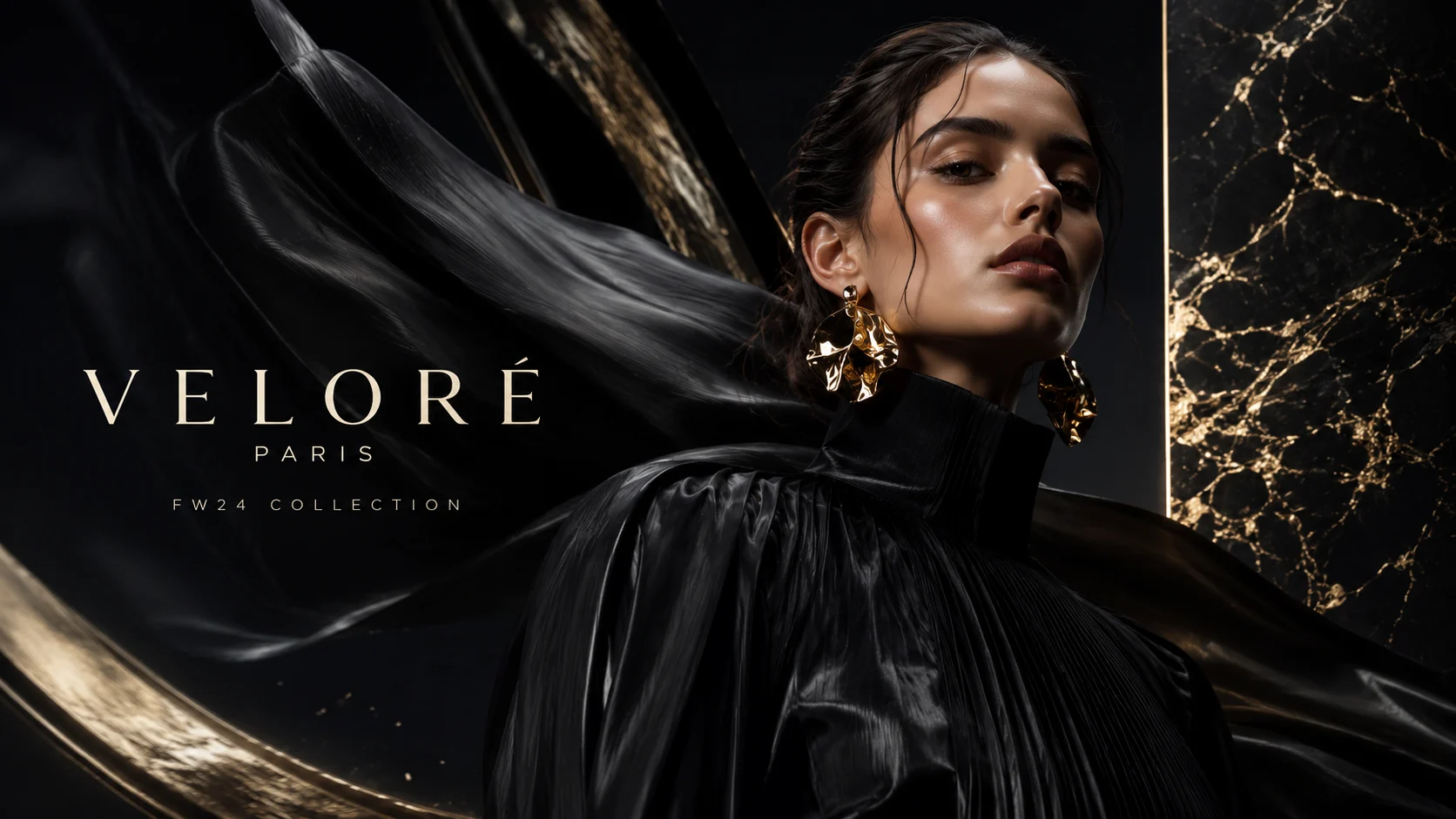
Photorealistic fashion portrait, model with sharp bone structure, restrained expression, gaze just off-camera, tight headshot crop, 105mm telephoto compression, Rembrandt lighting with triangular cheek highlight, deep charcoal backdrop, subtle hair rim light, natural skin texture with editorial matte makeup, sculpted hair, high-contrast but not crushed blacks — avoid beauty-filter gloss, wax figure look, melted earrings, asymmetric eyes.
4) Overcast outdoor character still
Photorealistic outdoor portrait of a young adult with wind-touched hair, candid expression mid-thought, medium close-up at eye level, 85mm feel, overcast diffuse daylight, low-contrast soft shadows, cool color temperature, natural skin texture, light freckles preserved, wool coat collar visible, city park background softly blurred — avoid oversaturated greens, plastic skin, beauty filter, deformed hands if hands enter frame.
5) Age-accurate founder portrait
Photorealistic portrait of a man in his late 50s, confident closed-mouth expression, eye-level head-and-shoulders, 85mm lens, soft Rembrandt key with controlled fill, natural mature skin texture with fine lines around eyes preserved honestly, salt-and-pepper hair, charcoal knit sweater, muted studio gray backdrop, understated catchlights — avoid de-aging, porcelain skin, fake teeth shine, plastic forehead.
6) Soft beauty without fake skin
Photorealistic beauty portrait, woman mid-20s, serene expression, centered headshot, 85mm, large frontal softbox with weak bounce fill, luminous but honest skin with subtle pores and fine peach fuzz, soft satin highlight on cheekbones, minimal makeup, hair softly framed, pale seamless backdrop — avoid airbrushing, pore overload, oily glare, melted hair strands.
Common Fails and Fast Fixes
When a portrait looks wrong, name the failure before regenerating. Blind rerolls waste credits and teach you nothing.
Plastic / wax skin
Cause: beauty adjectives, over-smoothing language, or conflicting “flawless + detailed pores.” Fix: remove flawless/airbrushed, add natural texture + makeup level, soften specular language, keep one light setup.
Uncanny teeth and gums
Cause: wide smile requests without dental constraints. Fix: prefer closed-mouth or soft smile; if teeth are required, add “natural dental realism, no oversized teeth, no gum distortion.”
Eye asymmetry / dead eyes
Cause: vague gaze plus heavy stylization. Fix: specify gaze target, ask for sharp focus on nearest eye, define catchlight shape from your key light, avoid extreme beauty contrast.
Hair melt and flyaway chaos
Cause: “cinematic wind” plus ultra-detail hair in tight crops. Fix: simplify hair direction, reduce motion language for headshots, keep rim light subtle.
Jewelry and glasses mush
Cause: tiny reflective objects in high compression crops. Fix: remove jewelry for identity locks; if glasses are required, specify frame shape and anti-glare, accept more regenerations.
Background fighting the face
Cause: busy environment + shallow DOF not stated. Fix: seamless backdrop or strongly blurred environment; one practical light max in background.
- 1Identify the fail in one sentence
- 2Change one prompt module only
- 3Regenerate a small batch (3–6)
- 4Lock the winner as a reference before styling wardrobe
Reference Discipline for Consistent Faces
Prompts alone are not a continuity system. For campaigns and later video, build a still reference pack: front, three-quarter, profile if needed, same light family, same age read, same hair baseline.
- Generate a hero identity still with conservative wardrobe
- Create 2–3 angle variants with the same light recipe
- Only then explore fashion, location, and mood
- Export a named pack so collaborators do not drift the face in chat threads
When those stills move into motion, consistency issues shift to temporal drift. We cover that failure class in detail in production workflows for Seedance and Kling — and in our practical services path at /ai-video-services if you need studio help locking a character across spots.
Studio Checklist Before You Call It Done
- 1Does the prompt name shot size, lens feel, and eye line?
- 2Is lighting a setup, not just “cinematic”?
- 3Is skin language honest for the character’s age?
- 4Did you remove beauty-filter adjectives?
- 5Are hands, jewelry, and logos out of frame unless required?
- 6Would this still work as a continuity reference for video?
If you are building a full content system — stills, shorts, and longer AI scenes — pair portrait discipline with structured prompt libraries. Start with /nano-banana-prompts for stills, then extend into /viral-shorts-prompts or /ai-prompts when the same face needs performance.
FAQ
Do I need to write “photorealistic” in every Nano Banana 2 prompt?
It helps as a soft style anchor, but it is not enough. Photographic constraints (lens, light, skin honesty) do more work than the word itself.
Why do my portraits still look like beauty filters?
You are probably rewarding smoothness. Remove flawless/airbrushed language, specify natural texture, and avoid stacking HDR + glamour + ultra-detail.
What focal length should I default to for faces?
Start with an 85mm portrait feel for head-and-shoulders. Move to 50mm when environment matters, and be careful with wide lenses on tight face crops.
Should I include negative prompts?
Yes — but keep them specific. “Avoid plastic skin, beauty filter, distorted features” beats a paragraph of random bans. Negatives clean edges; they do not replace good positive direction.
Can these portrait prompts transfer to AI video?
The identity and lighting language transfers well. Motion needs extra direction for camera move, performance, and temporal consistency. Use stills as references, then prompt video tools with the same subject lock.
Where can I get more ready-to-run Nano Banana prompts?
Use our Nano Banana prompt collection at /nano-banana-prompts. For broader creative systems, explore /ai-prompts, and if you are training a team, /ai-video-courses covers how stills feed motion pipelines.
Final Take
The best Nano Banana 2 portrait prompts behave like shot briefs. Subject, frame, lens, light, skin, avoid-list. Run the formulas above, lock a reference pack, and stop asking the model to invent photography from vibes alone.
Comments
Loading…