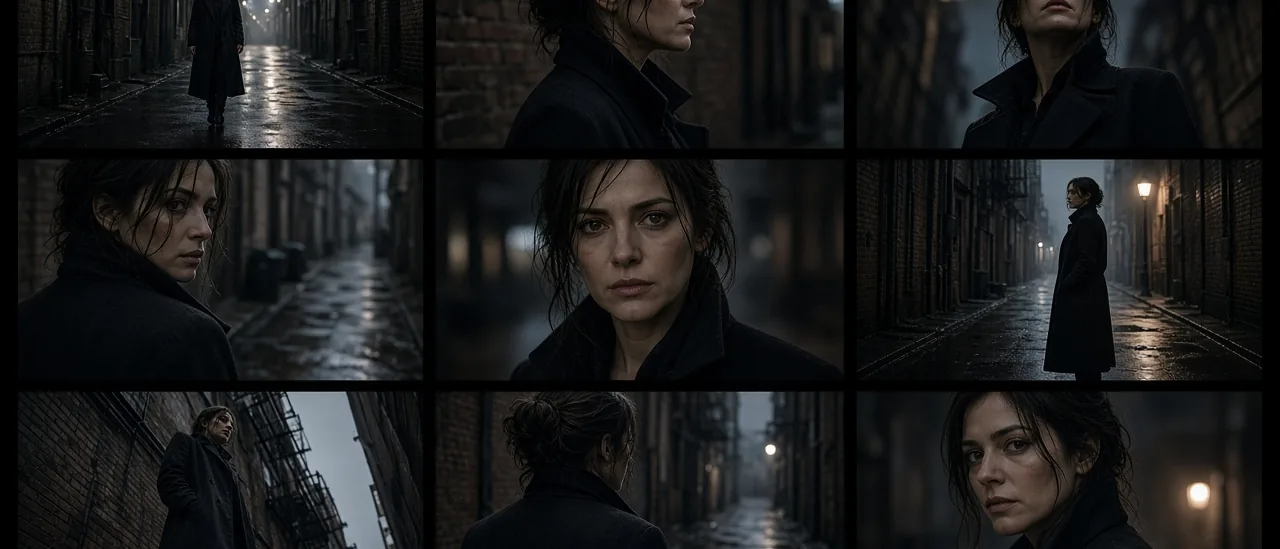
#cinematic shots#camera angles#ai storyboard#4k upscale#film stills
Cinematic Shots — Nine Angles From One Image

Mihaly Varga
Founder & AI Creative Director
23 September 2026
6 min read
Cinematic Shots takes one image and returns nine camera angles of that same frame. You pick the ones that belong in the scene and upscale those to 4K.
When nine angles beat a new prompt
Use it after the still is already right: the person, the room, the light. A fresh prompt will redesign the room. This app moves the camera. That is the difference from Angles, where you set rotation, tilt, and zoom yourself instead of taking a nine-shot grid.
- 1Upload the hero still, not a collage.
- 2Generate the nine angles.
- 3Keep two or three. Discard the ones that change identity or break the set.
- 4Upscale the keepers to 4K, then send one to Film Studio as the start frame.
If you only need to punch in, Zoom is the tighter tool. Cinematic Shots is for coverage: wide, profile, over-shoulder, low angle.
Open Cinematic Shots on a still you would actually shoot.
Comments
Loading…