#video restyle#kling#seedance#ai video edit#film studio#style transfer
Video Restyle with Kling and Seedance (2026)

Mihaly Varga
Founder & AI Creative Director
23 September 2026
7 min read
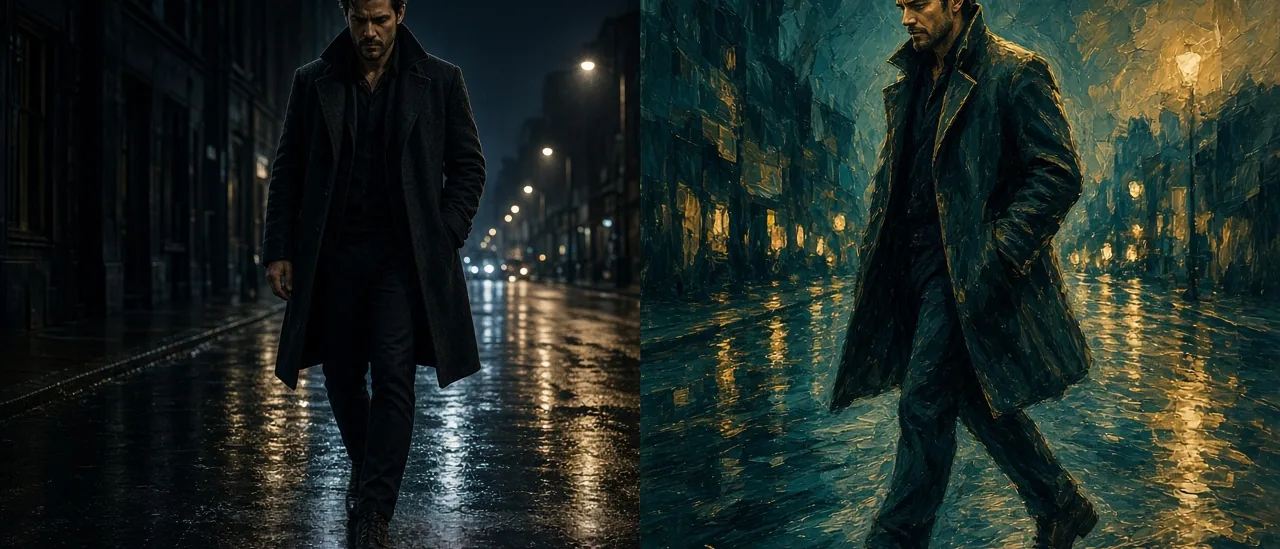
When the move is right and the look is wrong, do not generate the shot again. Video Restyle uploads that clip and restyles it with Kling or Seedance edit inside Film Studio.
What restyle keeps
The take stays: the walk, the turn, the timing. The prompt changes the surface. Ask for night rain, a warmer grade, or a different wardrobe world. Do not ask it to become a different action. A new action is a new generation in Film Studio.
- Use a short clip so you can judge the whole restyle.
- Name the look in one sentence. A second idea fights the first.
- Keep the person recognizable. Restyle is not a face swap.
- If you need the world replaced while the motion stays exact, compare it with FLUX 3 Edit.
FLUX 3 Edit is the other pass: prompt a new look on a clip you already have. Restyle is the Kling and Seedance path. Pick the one that matches the model you already trust for that footage.
Open Video Restyle with the clip that already performs.
Comments
Loading…